
Connect chart analysis, workspace management, alerts, and review
MetaTrader4 is more than a chart window; it supports a repeatable workflow for monitoring, pre-trade checks, alerts, and post-trade review.
Capability breakdown
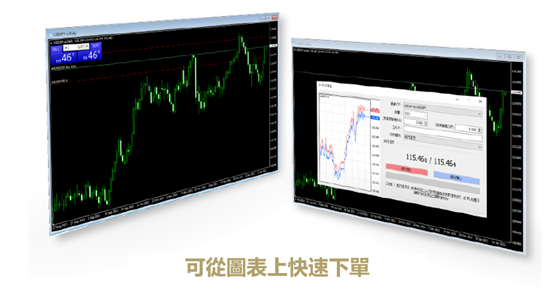
Charts, indicators, drawing objects, quotes, order windows, and history records form a complete analysis loop.
Typical scenarios
Fits intraday forex monitoring, market tracking around events, strategy-template review, and multi-symbol comparison.
Multi-device collaboration
Desktop handles full analysis while mobile covers alerts and quick checks, reducing missed key-level events.
Data continuity
Accounts, watchlists, and template habits maintain continuity across devices and setups.
Workspace management
Organize layouts by market, timeframe, and strategy stage for faster pre-session checks and live response.
Alerts and review
Price alerts, screenshots, and chart objects help record gaps between plans and execution.
A four-step workflow from setup to review
Install and build the main workspace
Set up the Windows terminal first and prepare symbols and timeframe layouts.
Save indicator templates
Standardize trend, momentum, volatility, and key-level monitoring.
Set price alerts
Let important price changes reach mobile devices and reduce screen-watching pressure.
Review and refine layouts
Adjust templates and watchlists based on records for clearer future execution.
Less switching, faster context, easier review
When watchlists, templates, alerts, and review notes are organized around one desktop workspace, traders can spend more attention on price action and execution.
Get the MetaTrader4 desktop trading workspace
Build a stable Windows-led workspace while keeping Mac, iOS, and Android options for monitoring, alerts, and review.